
Step 1
Open Live Mall App
- Launch the app on your device.
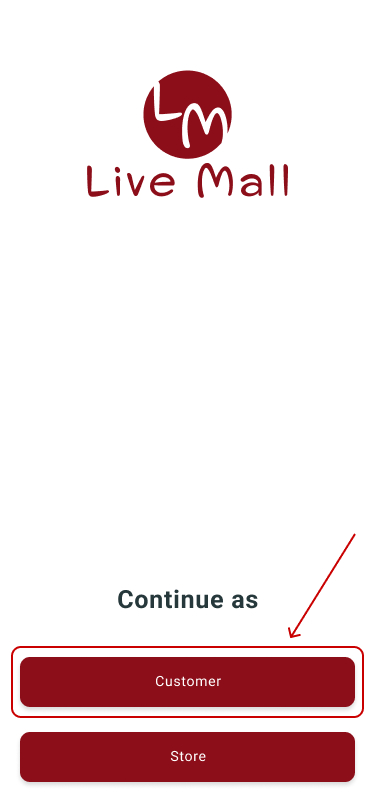
- The splash screen will appear.

Step 2
Tap on Customer
Step 3
Log In Live Mall App
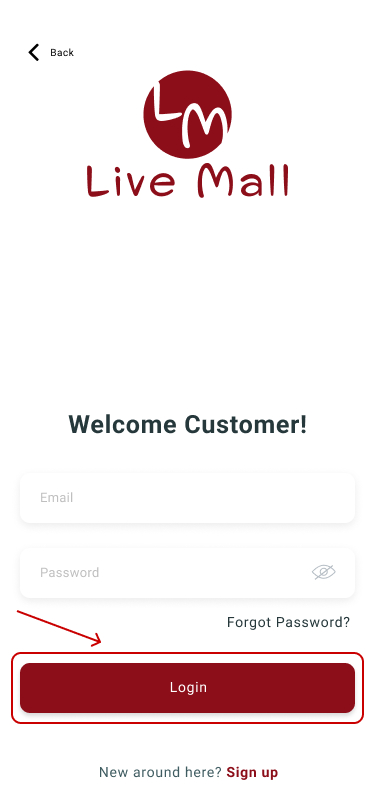
- Enter your credentials on the login screen.
- Tap login to proceed.
Step 4
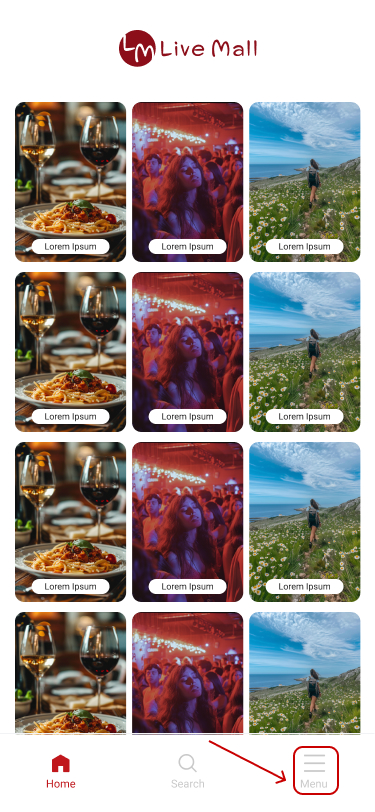
Go to menu- Tap bottom right corner in the navigation bar.
Step 5
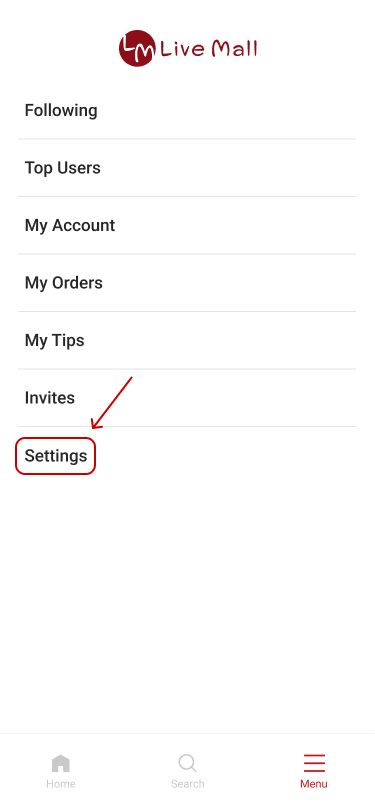
Tap on Settings
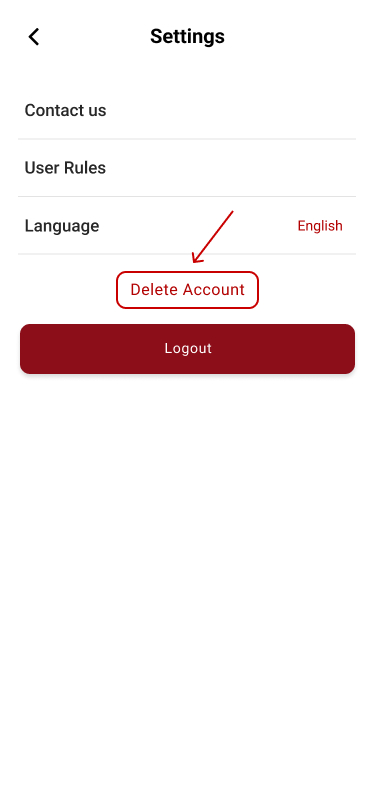
Step 6
Tap on Delete Account
Step 7
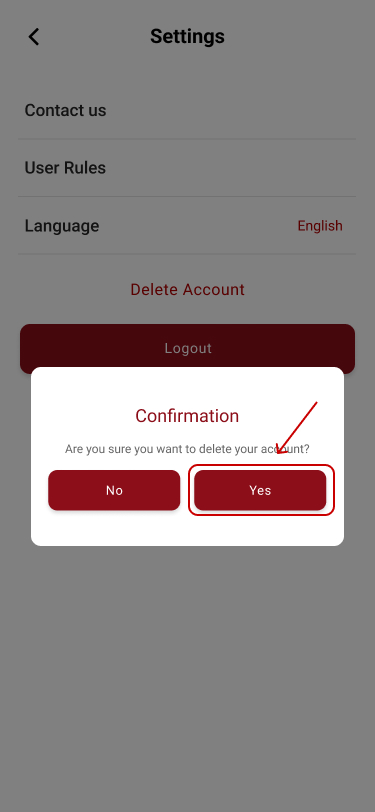
Confirm Deletion
- A confirmation message will appear.
- Tap Confirm to delete your account.
Step 1
Open Live Mall App- Launch the app on your device.
- The splash screen will appear.
Step 2
Tap on Store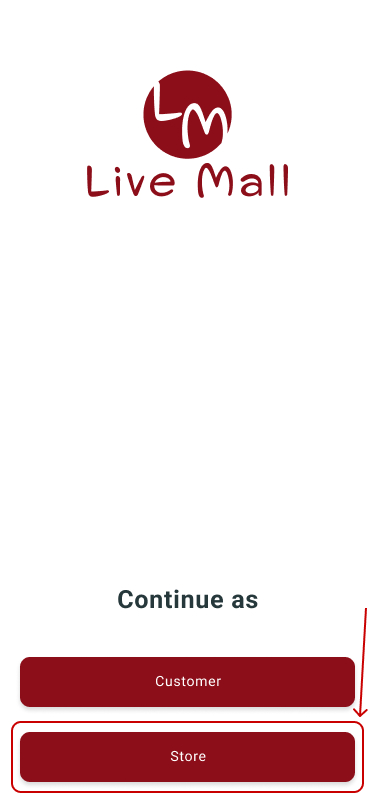
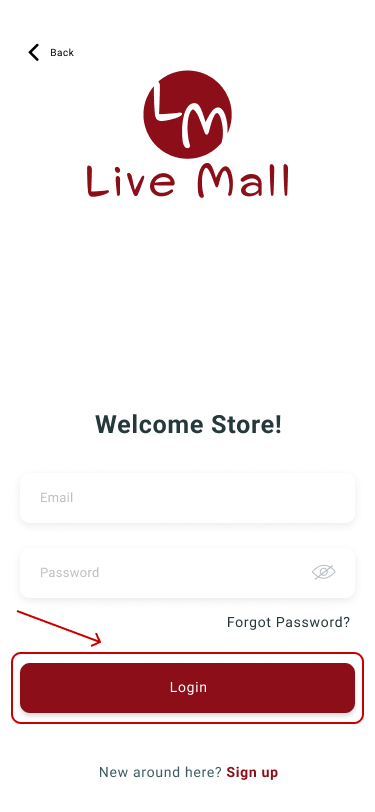
Step 3
Log In Live Mall App- Enter your credentials on the login screen.
- Tap login to proceed.
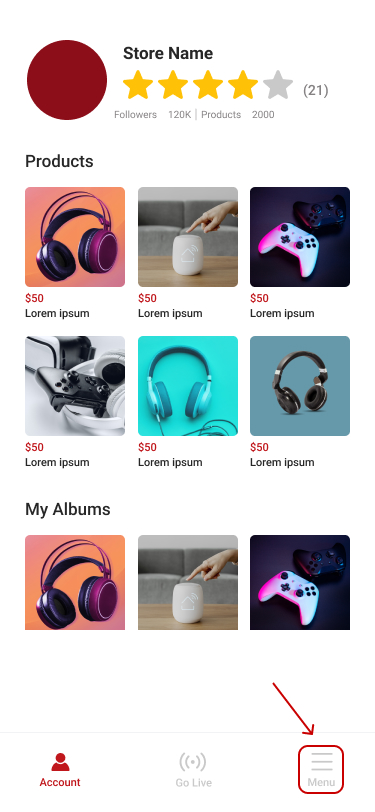
Step 4
Go to menu- Tap bottom right corner in the navigation bar.
Step 5
Tap on Settings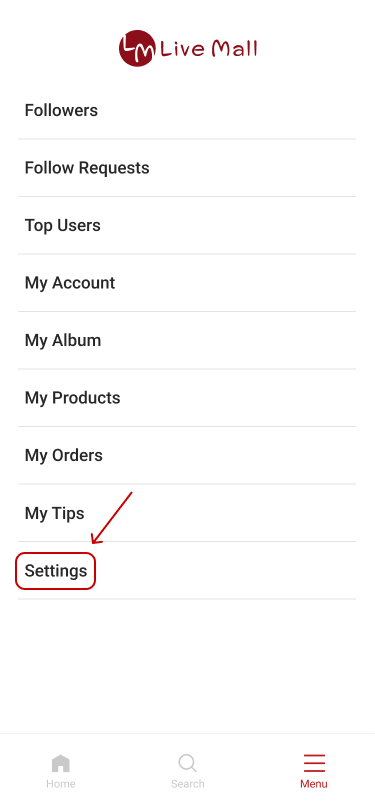
Step 6
Tap on Delete Account Step 7
Confirm Deletion
- A confirmation message will appear.
- Tap Confirm to delete your account.
